Objective
The idea was simple: control an LED from my phone. No Bluetooth and no app, just a web page served by the ESP32 itself that anything on my home WiFi can open. A slider in the browser, and the LED follows it in real time. That puts WiFi, HTTP and PWM into one small build, which is why I picked it as an exercise.
The ESP32 is both the WiFi client and the web server here.
Hardware
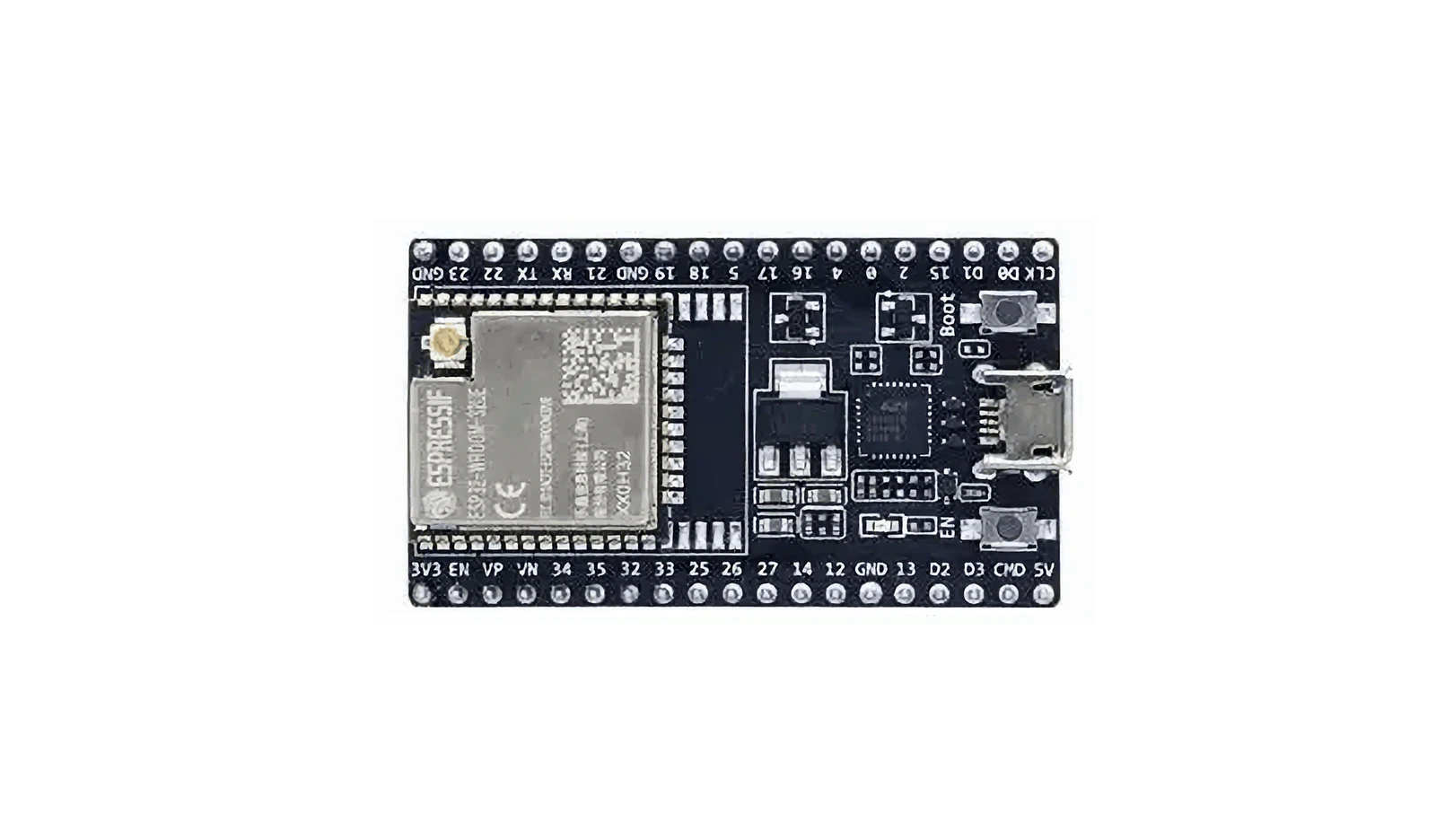
- ESP32-WROOM-32 development board
- Built-in LED (GPIO 2)
- USB cable
I started with the built-in LED to keep the parts count at zero: no breadboard, no external components, just the dev board and a USB cable. The onboard LED sits on GPIO 2 with its current-limiting resistor already in place, so there was nothing to get wrong on the hardware side before writing any code.
Software
Arduino IDE with the ESP32 Arduino Core.
#include <WiFi.h>
#include <WebServer.h>
Both libraries ship with the core, so there was nothing extra to install. WiFi.h handles the connection and WebServer.h gives you a lightweight HTTP server, which is all this needed.
Implementation
WiFi Web Server
The ESP32 joins my local WiFi and serves a control page.
Any device on the same network can open the IP it was assigned, for example http://192.168.x.x/.
This is the part of the ESP32 I like most. A handful of lines gets a web server running, and the microcontroller is suddenly reachable from everything on the network. No router configuration, no port forwarding, just a local address.
PWM Brightness Control
Brightness runs on 8-bit PWM, so 0–255 maps onto 0%–100%.
The slider sends an HTTP request that changes the duty cycle:
Browser → /set?value=brightness → ESP32 PWM output
8-bit was the obvious choice, because it lines up with the range ledcWrite takes and with the slider’s min and max attributes. The page calls fetch() to fire a GET to /set?value=128 every time the slider moves, and the ESP32 parses the value and writes it to the PWM channel. At 5000 Hz there is no visible flicker.
Testing
- Upload the sketch.
- Open the Serial Monitor and note the IP shown after connection.
- Navigate to that IP in a browser.
- Move the slider to change LED brightness.
Result
The ESP32 connects, serves the interface, receives HTTP brightness values and drives the LED over PWM. The whole chain works end to end, hardware through network and interface down to the physical output, and it leaves me a base to build more interactive things on.
In about 160 lines of code that is a working web-controlled light. The same combination of WiFi, web server and PWM carries over to motor speed control, servo positioning, or driving an LED strip through a MOSFET.
Full Code
#include <WiFi.h>
#include <WebServer.h>

// Replace with your WiFi name and password
const char* ssid = "YOUR_WIFI_USERNAME_HERE";
const char* password = "YOUR_WIFI_PASSWORD_HERE";

WebServer server(80);

// LED pin
#define LED_PIN 2

// PWM settings
#define PWM_CHANNEL 0
#define PWM_FREQ 5000
#define PWM_RESOLUTION 8   // 8-bit = 0–255

void setup() {
  Serial.begin(115200);

  // Configure PWM
  ledcAttach(LED_PIN, PWM_FREQ, PWM_RESOLUTION);

  // Start at 50% brightness
  ledcWrite(PWM_CHANNEL, 128);

  // Connect to WiFi
  WiFi.begin(ssid, password);
  Serial.print("Connecting WiFi");
  while (WiFi.status() != WL_CONNECTED) {
    delay(500);
    Serial.print(".");
  }
  Serial.println();
  Serial.println("WiFi connected");
  Serial.print("IP address: ");
  Serial.println(WiFi.localIP());

  // Home page
  server.on("/", []() {
    String html = R"rawliteral(
<!DOCTYPE html>
<html>
<head>
<meta charset="utf-8">
<title>ESP32 LED Control</title>
<style>
body { text-align: center; font-family: Arial; }
input { width: 80%; }
</style>
</head>
<body>
<h1>ESP32 LED Control</h1>
<h2>Brightness Control</h2>
<input type="range" min="0" max="255" value="128" id="brightness"
       oninput="changeBrightness(this.value)">
<p>Current Brightness: <span id="value">128</span></p>
<script>
function changeBrightness(value) {
  document.getElementById("value").innerHTML = value;
  fetch("/set?value=" + value);
}
</script>
</body>
</html>
    )rawliteral";
    server.send(200, "text/html;charset=utf-8", html);
  });

  // Receive brightness data from web page
  server.on("/set", []() {
    if (server.hasArg("value")) {
      int brightness = server.arg("value").toInt();
      // Output PWM signal
      ledcWrite(LED_PIN, brightness);
      Serial.print("Brightness: ");
      Serial.println(brightness);
    }
    server.send(200, "text/plain", "OK");
  });

  server.begin();
  Serial.println("Web server started");
}

void loop() {
  server.handleClient();
}